Base64 is one of those encoding schemes that developers encounter constantly but rarely fully understand. You see it in JWT tokens, email attachments, CSS data URIs and API authentication headers. This guide explains what Base64 is, how it works and when to use it.
What Is Base64?
Base64 is a binary-to-text encoding scheme that represents binary data using only 64 printable ASCII characters: uppercase A–Z, lowercase a–z, digits 0–9, plus sign and forward slash. The name comes from this 64-character alphabet — just as we call our number system Base10 and hexadecimal Base16.
Why Does Base64 Exist?
Many systems designed to handle text — including email protocols, HTTP headers and URLs — were not built to safely transmit arbitrary binary data. Binary data can contain control characters that text-based systems interpret as commands. Base64 solves this by converting binary into a format containing only safe, printable characters.
How the Encoding Works
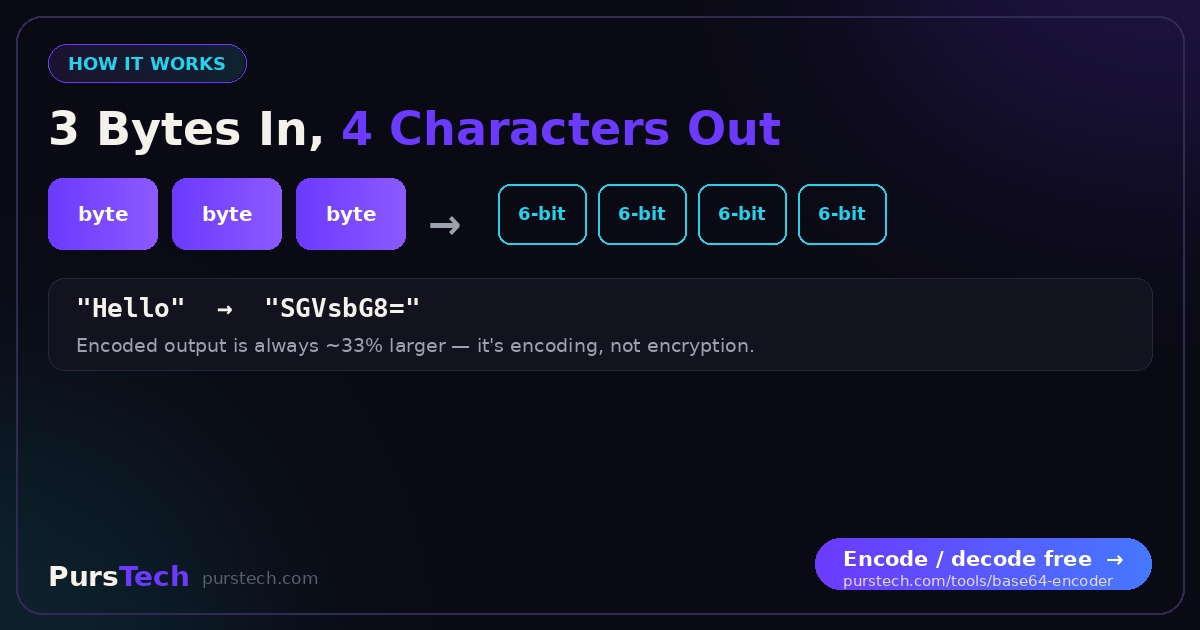
Base64 groups input bytes into sets of three (24 bits), splits each group into four 6-bit values, then maps each to a character in the Base64 alphabet. Because every 3 bytes produces 4 characters, encoded data is always approximately one third larger than the original.
Common Use Cases
Email attachments: MIME uses Base64 to encode binary files for transmission through email systems originally designed for plain text.
CSS data URIs: Small images embedded in stylesheets as Base64 data URIs eliminate a separate HTTP request — useful for tiny icons but counterproductive for larger images.
HTTP Basic Auth: Credentials are Base64-encoded in the Authorization header. Always use HTTPS — Base64 is not encryption.
JWT tokens: JSON Web Tokens consist of three Base64URL-encoded sections containing JSON header, payload and signature data.
What Base64 Is Not
Base64 is encoding, not encryption. It provides zero security. Never use it to protect sensitive data — it only changes how data looks, not how accessible it is.
URL-Safe Base64
Standard Base64 uses + and / which have special meanings in URLs. URL-safe Base64 replaces these with - and _, making strings safe for URLs. Most JWT implementations use URL-safe Base64 without padding.